
Billing and plans
See your plan and usage, change plan, add AI Teams, Boosts and storage, update your card, get invoices and cancel. Owners and admins manage billing.
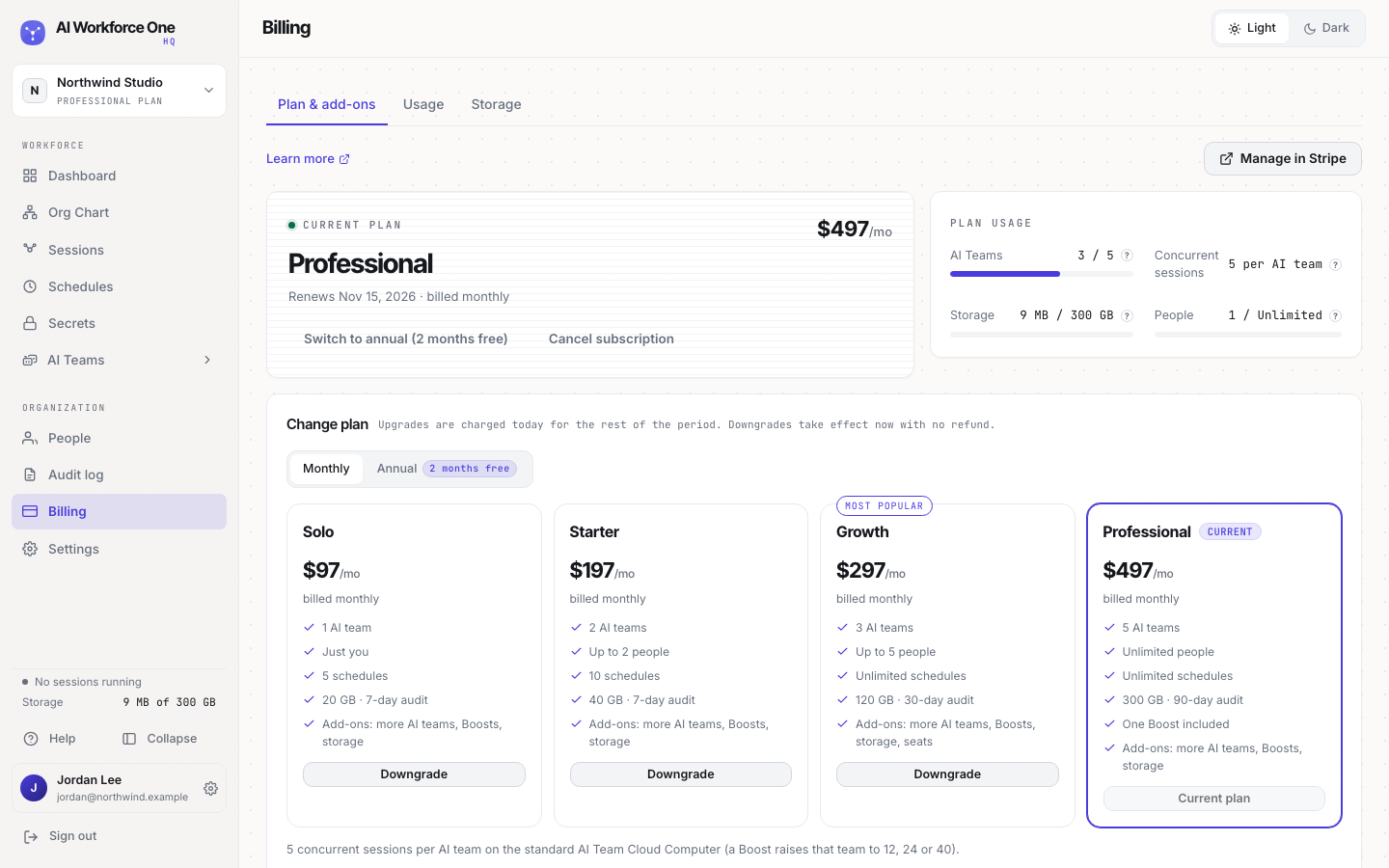
Open Billing in the sidebar. Plan & add-ons shows your plan, when it renews and what you use. Usage and Storage show the details. Manage in Stripe opens your payment method and invoices.
Plans
Plans differ in how many AI Teams and people you can have, how many schedules, how much storage and how long the audit log is kept:
| Plan | AI Teams | People | Schedules | Storage | Audit log |
|---|---|---|---|---|---|
| Solo | 1 | Just you | 5 | 20 GB | 7 days |
| Starter | 2 | Up to 2 | 10 | 40 GB | 7 days |
| Growth | 3 | Up to 5 | Unlimited | 120 GB | 30 days |
| Professional | 5 | Unlimited | Unlimited | 300 GB | 90 days |
Professional also includes one Boost and custom roles. Billing shows the current prices; annual billing gives you 2 months free.
Your trial
Every plan starts with a 14-day free trial, with 1 AI Team for 1 person. Your plan's full limits start when your paid plan does. During the trial you can't change plan or buy add-ons: select Start paid plan now to end the trial early and charge your card for the plan.
Change plan
Under Change plan, select the plan you want. An upgrade is charged today for the rest of the billing period. A downgrade takes effect now, with no refund. Switch between monthly and annual billing the same way.
Your organization has to fit the plan you move down to. For example, to move from Professional to Growth you need 5 people or fewer: remove people under People first. On Growth you can then buy seats to add people again.
When you move up to Professional, any seats you bought on Growth are removed from your bill, because Professional has no limit on people. The unused part of those seats is credited on the same invoice as the upgrade.
Add-ons
Add capacity without changing plan:
- Additional AI Team: each one adds 60 GB of storage and 5 concurrent sessions.
- Boost, Boost Pro and Boost Max: a bigger Cloud Computer for one team. See Cloud Computer sizes and Boost.
- Storage and, on Growth, seats. Professional includes unlimited people, so it has no seats to buy.
Additions are charged today, prorated to the day. Removals credit your next invoice.
Payment method and invoices
Select Manage in Stripe to change your card and download invoices.
Cancel
Select Cancel subscription and confirm. Cancelling a trial ends it right away. Cancelling a paid plan keeps your organization running to the end of the billing period. In both cases your organization's data is then erased, so ask for a data export first if you want a copy.
Owners and admins see billing, change the plan and buy add-ons. Only owners change the payment method and cancel.