
My secrets and variables
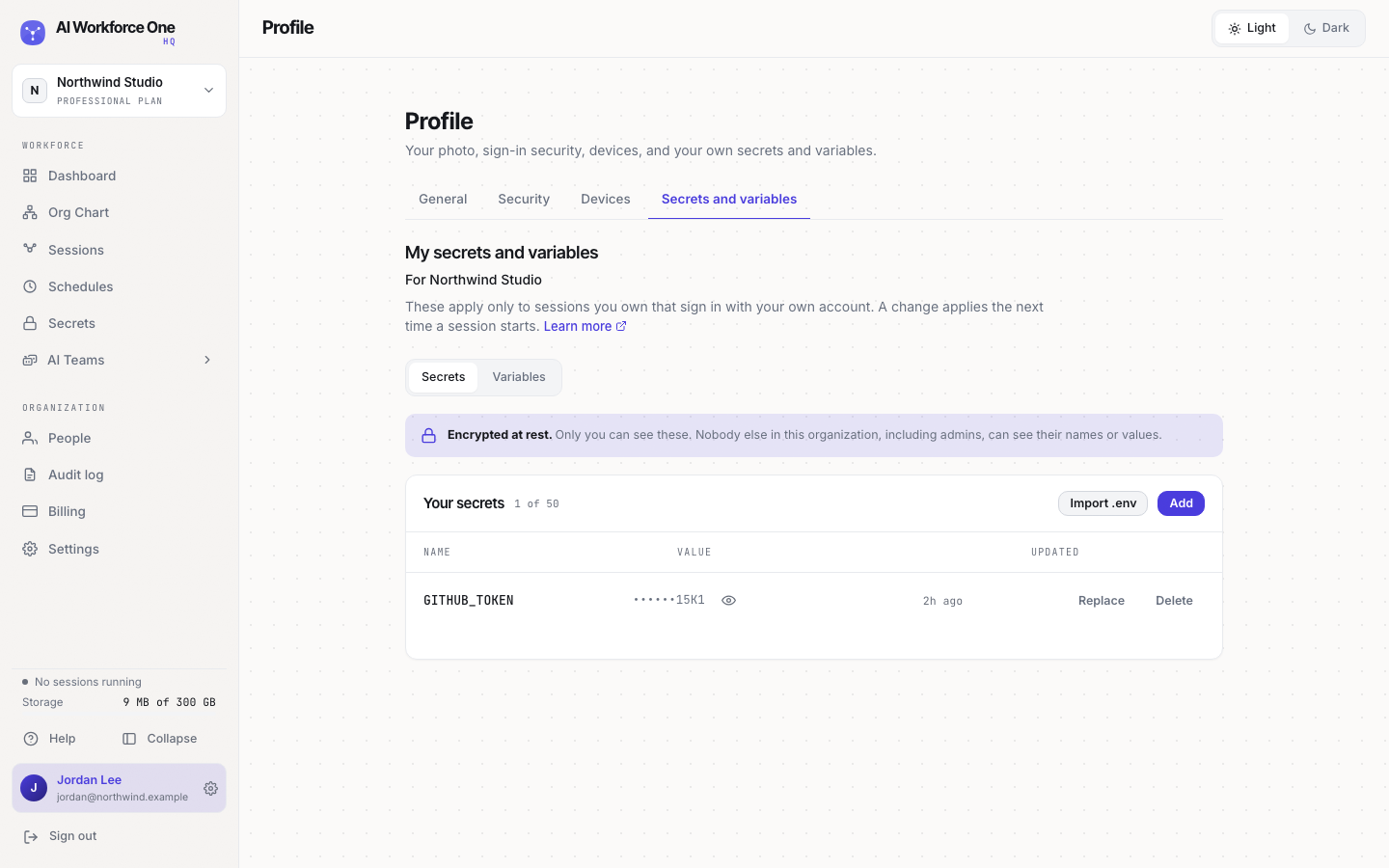
Personal secrets and variables apply only to the sessions you own that sign in with your own account. Only you can see them.
Use personal secrets for credentials that belong to you, like your own GitHub token. Nobody else in the organization, including admins, can see their names or values.
Add a personal secret
- Open your profile
Select your name at the bottom of the sidebar, then the Secrets and variables tab.
- Add it
Select Add, enter the name and the value, and save. Or select Import .env.
Personal secrets and variables:
- apply only to sessions you own that sign in with your own account;
- take the place of a team or organization value with the same name;
- apply the next time a session starts;
- belong to one organization: switch organization to set them for another.
You can keep up to 50 personal secrets per organization.
Who can do this
Everyone, for themselves.
Related
Was this page helpful?